Features
Everything your team needs to keep work moving
Leader Genius combines a board organized by the kind of contribution work needs with the essentials of team planning: owners, due dates, tasks, comments, notifications and a personal view of your work. Everything on this page ships in the product today.
01
Boards organized by contribution
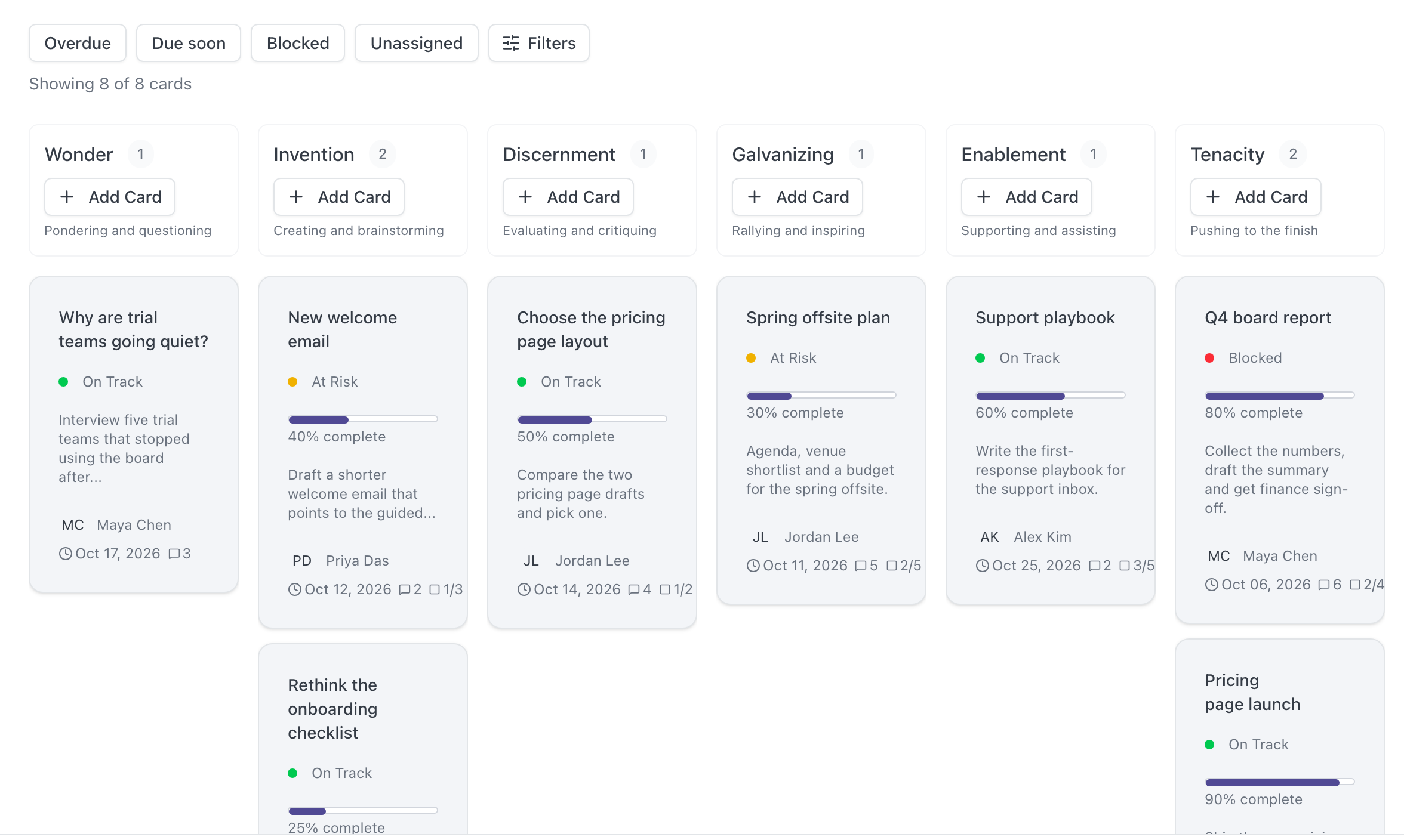
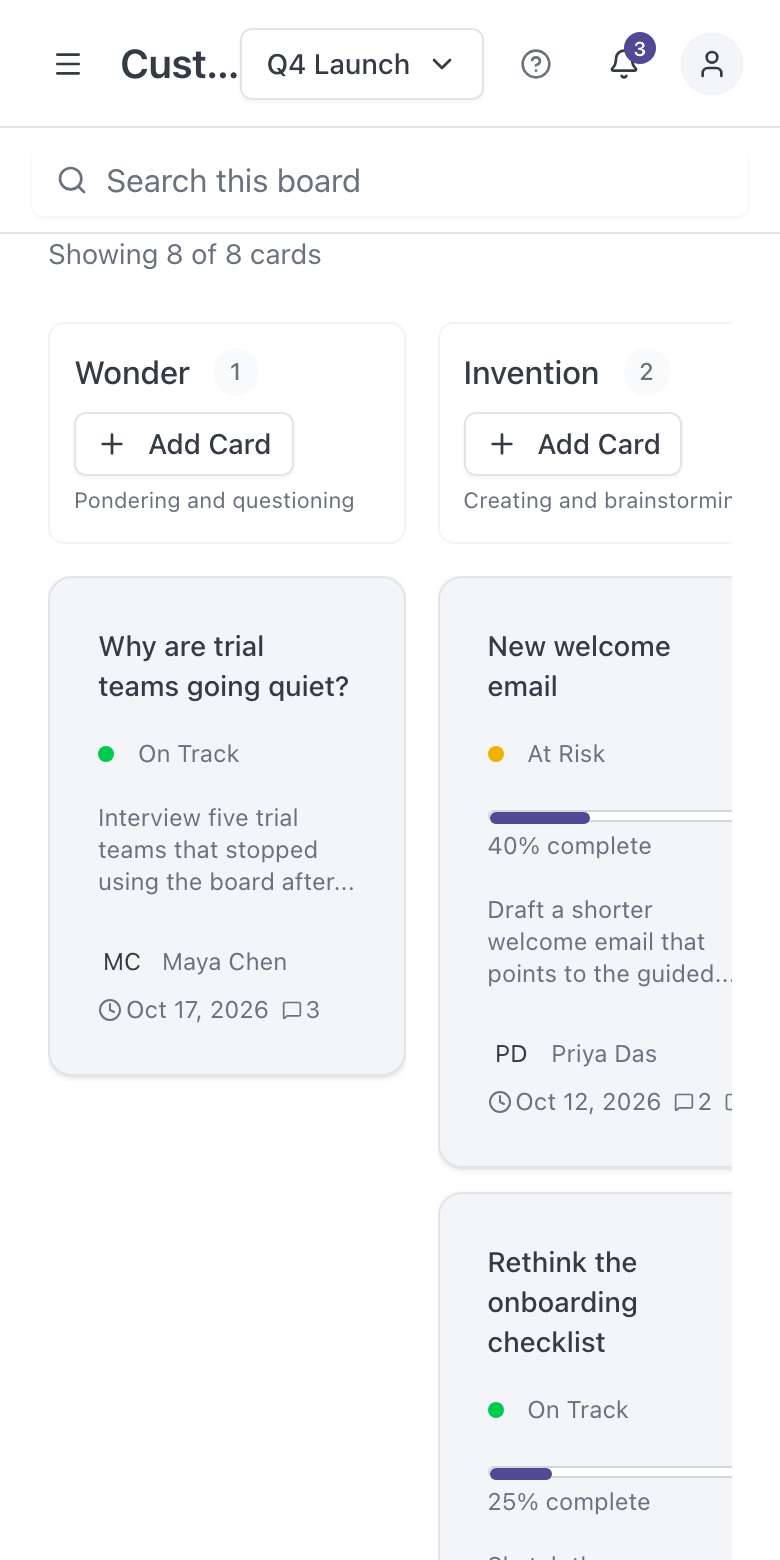
A board is a team’s view of its work, laid out in six columns: Wonder, Invention, Discernment, Galvanizing, Enablement and Tenacity.
- Move a project between columns as the work it needs changes.
- Order cards within a column; the order is saved.
- Switch to the Stage view, which groups the columns into Ideation, Activation and Implementation.
- Keep several boards per team, for example one per initiative, and link a project to more than one board.
02
Projects with clear ownership
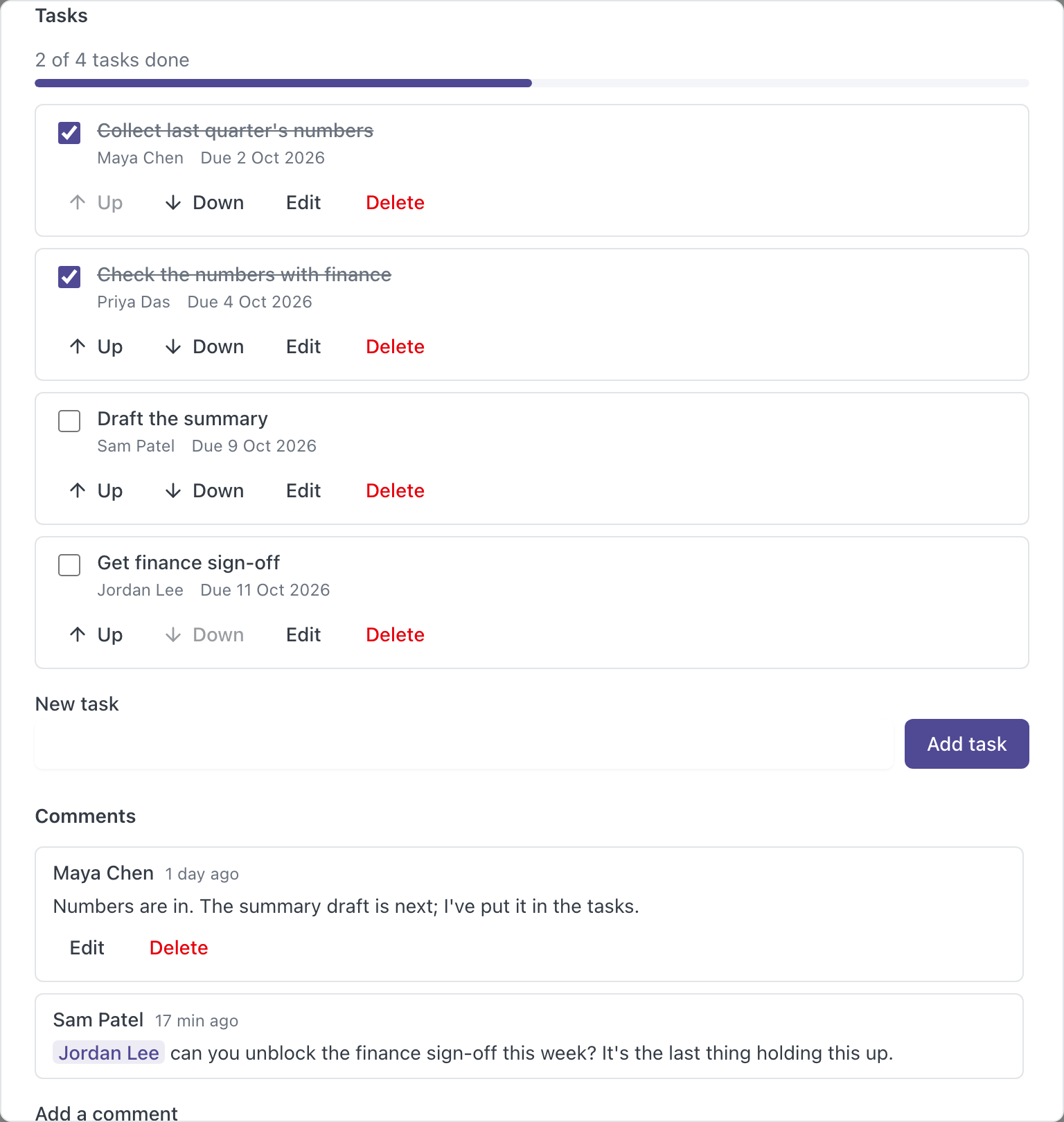
Each card on a board is a project with the details a team needs to coordinate.
- Title and description.
- Status: On Track, At Risk or Blocked.
- Priority: High, Medium or Low.
- One or more owners and a due date.
- Progress, completion and reopening.
- A direct link to share a card with a teammate.
03
Tasks inside every project
Tasks are the smaller steps within a project, so the board stays readable while the detail lives inside the card.
- Add, edit, complete, reopen and delete tasks.
- Give each task an owner and a due date.
- Put tasks in order; the order is saved.
- See task completion on the project card.
05
My Work
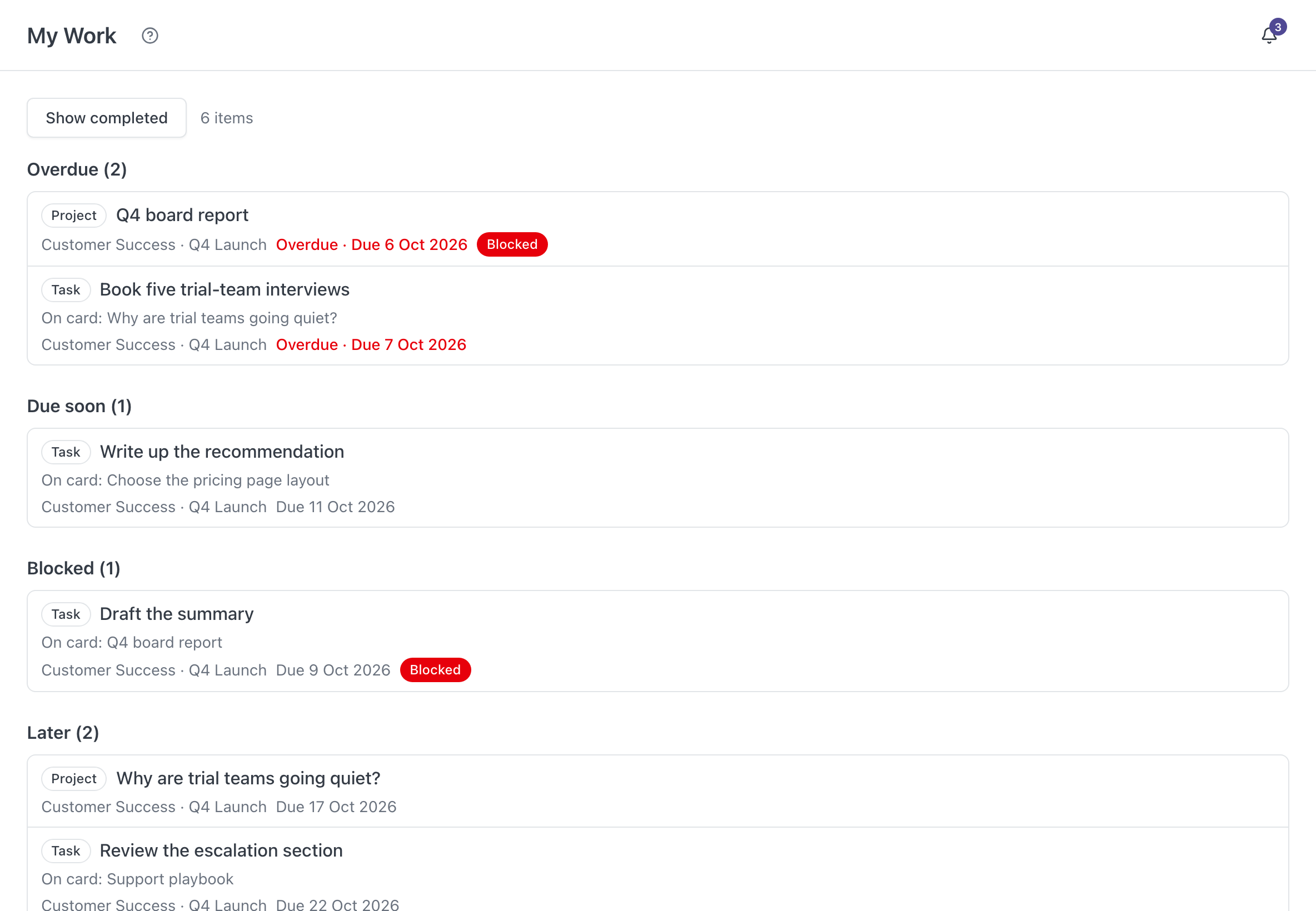
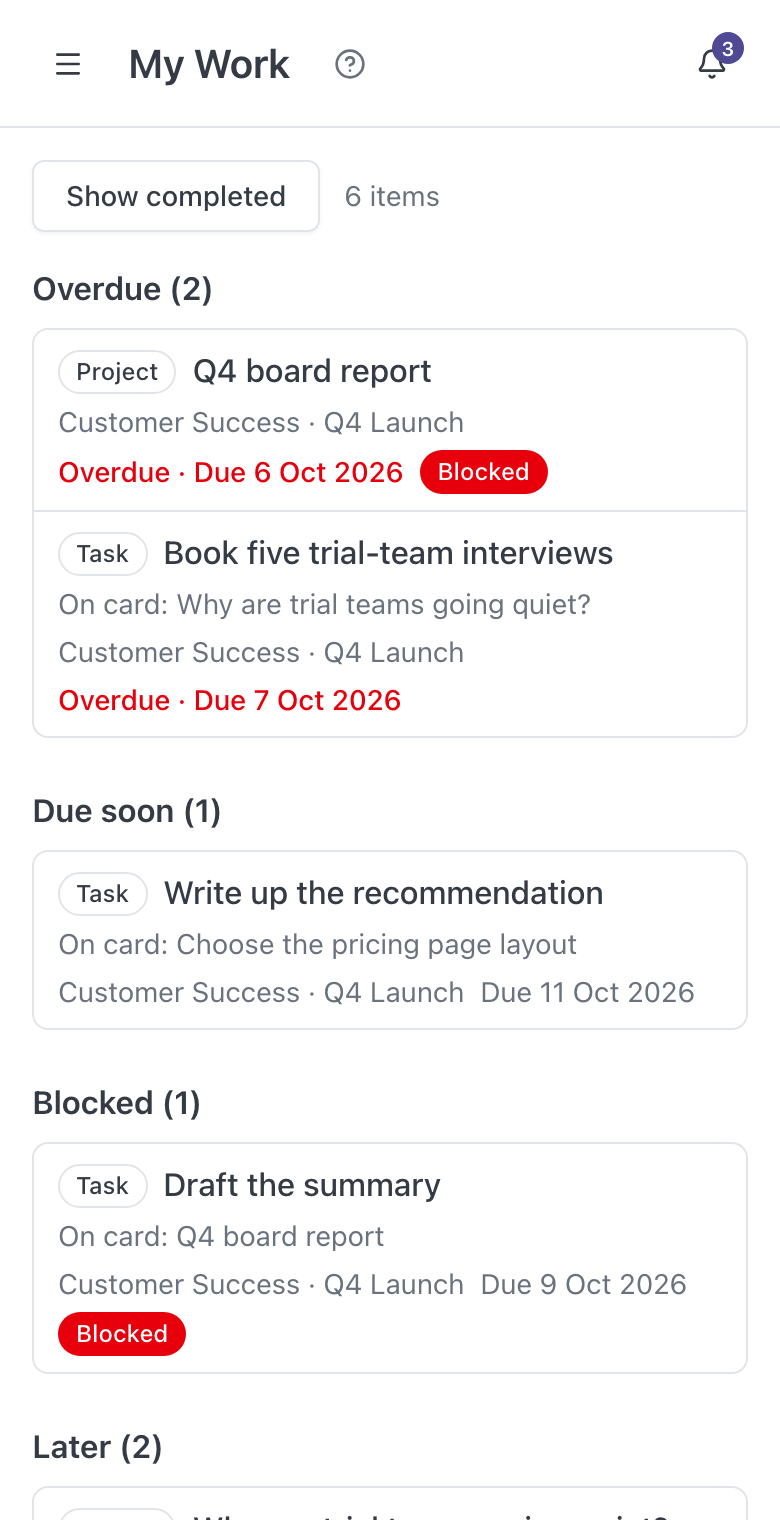
A personal page for the projects and tasks assigned to you, across your boards.
- Grouped into Overdue, Due soon, Blocked and Later.
- Each item links straight to its card.
- Completed and archived work stays out of the way by default.
06
Find and focus
Narrow a busy board to the work that needs attention.
- Search project titles and descriptions.
- Filter by owner, status, priority and due date.
- Narrow to overdue, due soon, blocked or unassigned work.
- See which filters are active and clear them in one click.
07
Teams and roles
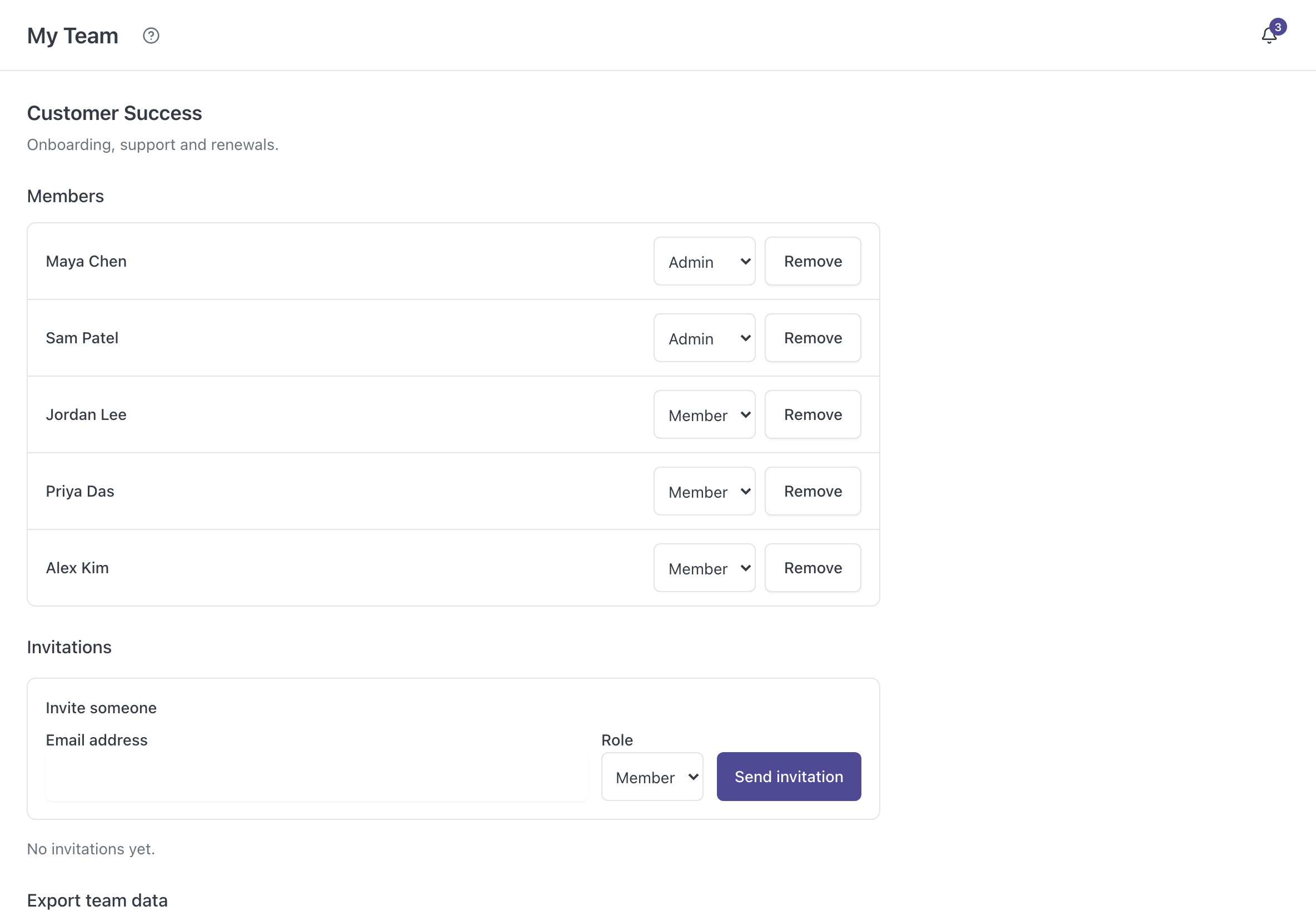
Members, boards and projects belong to a team.
- Create a team and invite colleagues by email.
- Admin and Member roles; Admins can remove members.
- See pending and accepted invitations, and resend or revoke them.
- Belong to more than one team and switch between them.
- Export team data as CSV or JSON.
08
Changes you can trust
Leader Genius is built so that the work you save stays saved, and mistakes can be undone.
- Clear saving and saved states, with a safe retry when the outcome is unknown.
- Unsaved text is kept if a save fails.
- Save a card as a draft and publish it when it is ready.
- Duplicate a project, or archive it and restore it later.
- Deleted cards go to Trash and can be recovered; nothing is removed automatically.
- Each project keeps an activity history of who changed what.
09
Easy to start
New teams are not left staring at an empty screen.
- A guided first project: create a team, create a board, add your first card.
- An optional sample project to explore.
- A built-in Guide that explains the six columns and how teams, boards, projects and tasks fit together.
- Works on phones and tablets as well as desktop browsers.
See it with your own team’s work.
Create an account, add a sample project and explore.
04
Comments and notifications
Discussion stays with the project it is about instead of scattering across inboxes.